Why Can't My LED Lights Connect to My Smart Home System?

Time:2026-05-31 Author:Isabella
0%

The integration of LED lights into smart home systems is an escalating trend in modern households. However, many users face challenges in this process. A common question arises: "Why can't I get my LED lights to connect to my smart home system?" Data from the Consumer Technology Association indicates that around 80% of consumers find smart lighting appealing. Yet, up to 40% of them experience connectivity issues.

Such challenges can stem from various factors, including incompatible protocols, network interference, and setup errors. For instance, a report from Statista shows that 25% of smart home users report difficulties with device compatibility. Additionally, the rapid advancement in technology can lead to outdated firmware, complicating the connection process further.

As smart technology evolves, users must remain informed and proactive in troubleshooting. Acknowledging connectivity issues is not a sign of defeat but an opportunity for learning. Exploring solutions and understanding device requirements can bridge the gap between frustration and seamless integration.
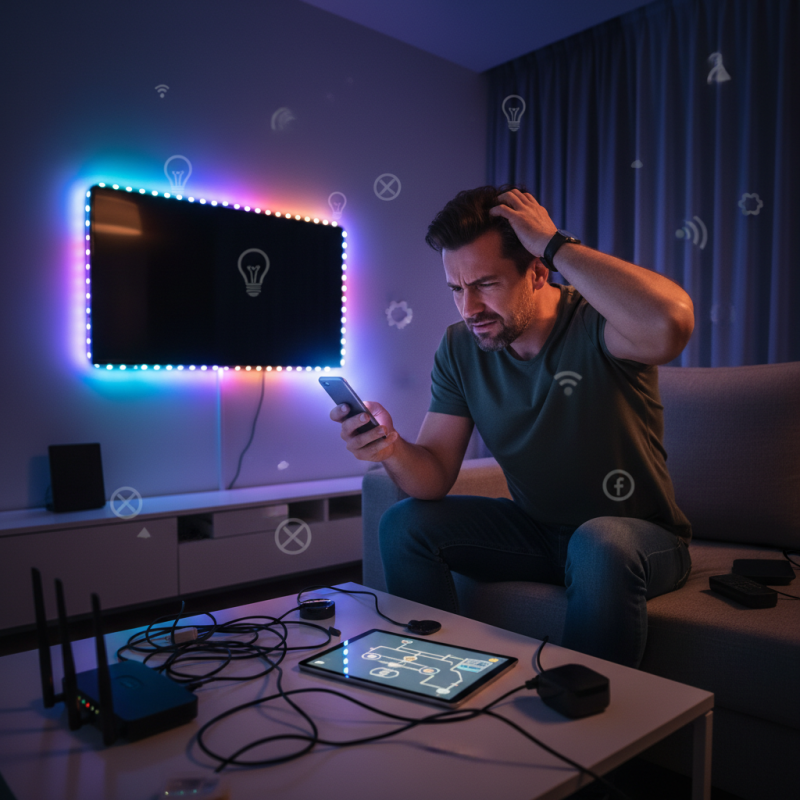
Why Can't My LED Lights Connect to My Smart Home System?

Common Compatibility Issues Between LED Lights and Smart Home Systems

Many users face issues connecting LED lights to their smart home systems. These problems often stem from compatibility issues. Not all LED lights work seamlessly with every smart home device. The technology used in bulbs can vary widely, affecting their ability to communicate with smart systems.

A common issue is the use of different wireless protocols. Some lights use Wi-Fi, while others rely on Zigbee or Z-Wave. If your smart home hub does not support the specific protocol of the LED lights, they simply won't connect.

Another factor to consider is firmware updates. Many smart devices require the latest updates for proper connectivity. If the firmware is outdated, users may experience frustration.

Moreover, not all LED lights are truly "smart." Many are merely compatible with smart plugs but lack true smart functionality. This misalignment can lead to confusion in setup and operation. Careful research before purchase is essential. Check compatibility information and user reviews to avoid potential pitfalls.

A good understanding of these issues can improve your smart home experience significantly.

Understanding Wi-Fi and Bluetooth Requirements for LED Connections

Many users experience issues when connecting LED lights to their smart home systems. Understanding the underlying technical requirements is crucial. Most smart LED lights rely on Wi-Fi or Bluetooth for connectivity. Each protocol has its unique advantages and limitations. For instance, Wi-Fi offers broader coverage and supports more devices, while Bluetooth provides a direct connection that requires less power.

A recent report from the International Data Corporation (IDC) noted that 70% of smart home devices struggle with connectivity issues, largely due to network interference. Walls, appliances, and even other wireless devices can disrupt signals. This is particularly relevant for Bluetooth devices. If the LED lights are too far from the hub, they may not connect reliably.

Moreover, firmware updates can also cause unexpected problems. Users often overlook the importance of keeping their devices up to date. According to a study by Parks Associates, 45% of consumers reported that outdated software hindered their device performance. Understanding these factors can significantly improve the connection experience.

Troubleshooting Steps for LED Lights Not Connecting to Smart Systems

When LED lights refuse to connect to your smart home system, it can be frustrating. Begin by ensuring that your LED bulbs are compatible with your system. Read the specifications carefully. Many modern smart home devices need specific types of LED lights to function properly.

If compatibility checks out, examine the Wi-Fi connection. LED lights often rely on a stable wireless signal. Make sure your router is nearby. A weak signal can prevent the lights from connecting. Restart your router if necessary. Additionally, try resetting the LED bulbs. This can sometimes clarify connection issues and restore functionality.

Don’t overlook potential interference from other devices. Other appliances can disrupt signals. It may help to switch off nearby devices temporarily. If problems persist, consult the user manual or online resources for troubleshooting tips. Each step taken is a chance to learn and improve your setup.

The Role of Firmware Updates in Smart Home Device Connectivity

In today’s smart home landscape, connectivity issues can crop up, particularly with LED lights. Often, these problems stem from outdated firmware. Manufacturers regularly release updates to improve performance and security. Ignoring these updates may lead to compatibility issues with your smart home system.

Firmware updates can enhance connectivity and functionality. By ensuring your devices run on the latest software, you minimize the risk of disconnects. Many users overlook this step. They might not realize that simple updates can resolve persistent issues. Regularly check for these updates in your device settings.

Tips for maintaining connectivity include setting reminders to check for updates. It’s also wise to consistently monitor device performance. If random disconnections occur, revisit firmware settings. Sometimes, a factory reset can help, but this is not always the first step to take. Understand the benefits of keeping your devices current, as it ensures a smoother experience in your smart home journey.

Alternatives for Integrating Non-Compatible LED Lights into Smart Homes

Integrating non-compatible LED lights into a smart home system can be frustrating. Many homeowners face this challenge. Fortunately, there are alternatives to consider. One option is using smart plugs. These devices allow you to control regular lights through an app. Just plug your LED light into the smart plug. Then, you can manage it from your smartphone, creating a seamless experience.

Another effective approach is utilizing smart light bulbs that offer retrofitting options. These bulbs can fit into standard fixtures. They provide advanced features like scheduling and remote control. However, it’s essential to ensure compatibility with your existing system. Checking specifications can save you time and hassle.

Lastly, consider investing in a universal hub. This device acts as a bridge between various smart technologies. It can help connect different brands and types of bulbs. However, configuring these systems can be tricky. It's crucial to follow instructions carefully. Finding the right balance and setting might require some trial and error, but this can lead to a more connected home.

FAQS

: What are common connectivity issues with LED lights?

: Many users face problems due to network interference. Walls and appliances disrupt signals, especially for Bluetooth devices.

How can Wi-Fi and Bluetooth impact LED connectivity?

Wi-Fi provides broader coverage, while Bluetooth requires less power but has a shorter range. Both have their pros and cons.

Why do firmware updates matter for smart devices?

Updates improve performance and security. Ignoring them can lead to compatibility issues and hinder connectivity.

How often should I check for firmware updates?

Regular checks are helpful. Setting reminders can ensure your devices are running on the latest software.

What should I do if my LED lights frequently disconnect?

Monitor device performance first. If issues persist, consider checking firmware or performing a factory reset.

Are there specific challenges with Bluetooth LED lights?

Yes, Bluetooth lights may not connect well if too far from the hub. Proximity is crucial for a reliable connection.

What percentage of smart home devices have connectivity problems?

Approximately 70% of smart home devices experience connectivity issues due to various factors, including signal interference.

Is it common to forget about device updates?

Yes, many users overlook the importance of updates. This can lead to avoidable connectivity problems.

Can signal interference affect my smart home experience?

Absolutely. Other wireless devices can interfere, causing frustration with connectivity. It's essential to be aware of your environment.

What is one simple step to improve connectivity?

Keeping your firmware updated is key. Regular updates can prevent many problems related to device performance and disconnections.

Conclusion

In addressing the question, "Why can't I get my LED lights to connect to my smart home system?", it's essential to explore common compatibility issues that may arise. Factors such as the specific protocols used by LED lights and smart home systems can lead to connectivity problems. Additionally, understanding the Wi-Fi and Bluetooth requirements is crucial, as mismatched settings can hinder successful connections.

Troubleshooting steps are vital for resolving these issues, including checking network configurations and ensuring proximity of devices. Regular firmware updates play a significant role in maintaining connectivity between smart home devices and LED lights. For those facing persistent compatibility challenges, alternatives exist to integrate non-compatible LED lights into smart home systems, providing flexibility and expanded functionality.

Isabella

Isabella

Isabella is a dedicated marketing professional with a sharp focus on driving brand growth and engagement through strategic content creation. With an extensive background in digital marketing, she combines her passion for storytelling with her keen understanding of industry trends to deliver......