Choosing a bulb for a desk or reading nook affects more than how bright the room feels. The right light can make small print clearer, soften shadows, and reduce the urge to squint. Still, brightness alone is not the whole answer. A very bright bulb can create glare on glossy pages or a laptop screen.
Lighting researcher Dr. Mariana Figueiro has said, “Light is a drug, and it has to be prescribed.” Her remark points to an important distinction: light influences both visual comfort and the body’s daily rhythms. For reading and work, practical choices include a suitable color temperature, high color-rendering performance, and a lamp positioned to keep light out of your eyes. A warm-white bulb may feel comfortable for evening reading, while a neutral-white option can suit detailed daytime tasks. Individual preference matters, too.
So, What are the best LED bulbs for reading and working? This guide considers brightness, color quality, flicker, energy use, and compatibility with your lamp. It also explains why a dimmable bulb can help when a desk serves different tasks throughout the day. Look for clear product specifications, not just claims on the package. A label can tell you useful things, but it cannot show exactly how the bulb will feel beside your favorite chair. The best choice is comfortable in your actual space.
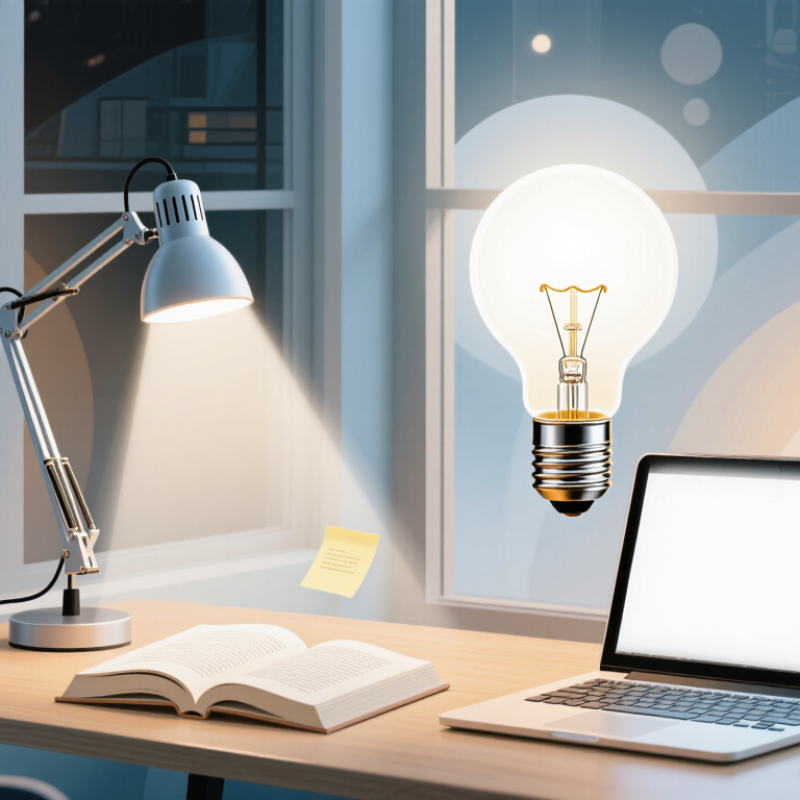
Reading and desk work need light on the page, not glare in the eyes. EN 12464-1:2021 specifies 500 lux of maintained illuminance for office reading and writing tasks. It also sets a minimum color-rendering index of Ra 80. These are useful benchmarks, not a guarantee of comfort. Lux is only one part. At a desk, a shaded task lamp can brighten a book while keeping the bare LED out of direct view. Place it opposite your writing hand to reduce shadows. A matte page and a screen positioned away from reflected light help too. Small adjustments matter.
LED bulbs suit this work because they offer efficient lighting and come in varied color temperatures and dimming options. But performance varies: poor optics can create bright spots, and some drivers produce visible or camera-detectable flicker. Choose a suitable color-rendering rating, stable dimming, and a beam that fits the fixture. The U.S. Department of Energy reports that LEDs use at least 75% less energy and can last up to 25 times longer than incandescent lighting. That can mean fewer replacements during years of evening study. Still, I would not treat a lux reading as a promise of comfort. A brightly lit desk can feel harsh in a dark room; balance task lighting with softer ambient light, then adjust by eye.
An LED bulb produces light through a semiconductor chip. Electric current moves electrons through the chip, where they release energy as photons. This process is called electroluminescence. No hot filament is needed.
Most white LEDs start with blue light. A phosphor layer absorbs some of it and re-emits light across a broader range of wavelengths, creating a whiter appearance. The U.S. Department of Energy’s “LED Lighting” guidance says LEDs use at least 75% less energy and can last up to 25 times longer than incandescent bulbs. Their efficiency comes partly from producing less wasted heat. Less heat, more light.
For reading, the bulb’s optics matter too. A diffuser spreads light across the page, while an electronic driver regulates current. Good color rendering can make printed text and colors appear more natural, but it cannot remove glare from a poorly positioned lamp. Place the light beside the book, rather than behind your head. One caveat: LED bulbs vary. Some may produce uneven light or noticeable flicker, so the semiconductor chip is only part of the story.
How LED bulbs produce light: An electric current passes through a semiconductor, which emits light. LEDs typically produce more light per unit of electricity than older bulb types.
Typical luminous efficacy values are approximate; individual bulbs vary. A higher value means more light output per watt, which can help provide bright illumination for reading and working while using less electricity.
LED bulbs can make reading and desk work more comfortable when their light is well matched to the task. A warm or neutral color temperature often feels gentle in the evening, while a brighter, cooler setting can help papers look crisp during daytime work. Color quality matters, too: a high color-rendering index can make ink, charts, and fabric appear more natural. Still, no single setting suits everyone.
Glare can undo those benefits. A bare bulb reflected in a laptop screen or shining directly into your eyes may cause discomfort, even if the bulb uses little energy. Place a shaded lamp to the side of your writing hand, and aim its beam at the page rather than your face. Smooth, steady light helps. Some dimmable LEDs may flicker at low settings or behave poorly with incompatible dimmers, so check the product details and test the bulb at your usual brightness. Small differences matter.
Tips: Try a 3000K–4000K bulb for a balanced workspace, then adjust to your preference. Keep the page evenly lit, reduce screen reflections, and take short distance breaks. If your eyes still feel strained, the bulb may not be the only cause; screen brightness, posture, and room lighting deserve a closer look.
For reading and desk work, an LED bulb can provide useful light while drawing much less electricity than an incandescent bulb. A 9-watt LED often produces light comparable to a 60-watt incandescent, though brightness varies by model. Check the lumens, not just the wattage, when choosing a bulb for a desk lamp. A lamp used five hours daily with a 9-watt bulb consumes about 16 kilowatt-hours a year; a 60-watt bulb uses about 110. That difference can lower lighting costs, especially when several lamps stay on through long study or work sessions. Small numbers add up.
LED lifespan can also mean fewer replacements. Many bulbs are rated for roughly 15,000 to 25,000 hours, but the rating is an estimate, not a promise. Frequent switching, poor ventilation, and heat trapped inside enclosed fixtures may shorten service life. Heat still counts. A bulb in a tight glass shade may fail sooner than one in an open desk lamp. Actual savings depend on local electricity rates and daily use, and a dimmer or fixture may not work well with every LED. I would check compatibility before buying; it is an easy detail to overlook.
| Comparison | Incandescent Bulb | CFL Bulb | LED Bulb |
|---|---|---|---|
| Approximate light output | About 800 lumens | About 800 lumens | About 800 lumens |
| Typical power for this light output | About 60 watts | About 14 watts | About 10 watts |
| Estimated energy use at 4 hours per day | About 87.6 kWh per year | About 20.4 kWh per year | About 14.6 kWh per year |
| Typical rated lifespan | About 750–1,000 hours | About 8,000–10,000 hours | About 15,000–25,000 hours |
| Approximate years of use at 4 hours per day | About 0.5–0.7 years | About 5.5–6.8 years | About 10–17 years |
| Heat while operating | High; much of its energy is released as heat | Lower than incandescent bulbs | Generally low compared with incandescent bulbs |
| Useful features for reading and working | Warm light is available, but the bulb uses more energy and runs hotter | Available in different color temperatures; some models take time to reach full brightness | Available in many brightness and color-temperature options; uses less energy for similar light output |
Figures are approximate and vary by bulb design and operating conditions. Annual energy use assumes one bulb operates 4 hours per day for 365 days. For reading or desk work, compare lumens, choose a comfortable color temperature (often 3000–4000 K), and check the bulb’s color-rendering and flicker information.
A good workspace bulb should make small details clear without making the room feel harsh. For reading, writing, or screen work, many people prefer neutral-white light around 3000K to 4000K. The best choice depends on wall colors, daylight, and personal comfort. A number on a package cannot predict how a desk will feel.
Check the bulb’s lumen rating instead of relying on watts: lumens describe brightness, while watts indicate energy use. For a desk lamp, roughly 400–800 lumens can be a useful starting point, though the shade and desk size matter. If you compare colors or read printed material, consider a color-rendering index (CRI) of 80 or higher. Check dimmer compatibility when needed. Flicker can be difficult to judge from packaging, so test the bulb in the actual lamp if possible. A brighter bulb may look fine in a shop but create sharp reflections on a notebook.
Tips: Aim the lamp at the page, not your eyes or screen. Try a lower setting after dusk. If you squint or notice glare, adjust the lamp angle before choosing a brighter bulb. Small changes help.
Around 500 lux is a common benchmark for office reading and writing. It is not a comfort guarantee. Try adjusting the lamp by eye.
Aim it at the page, not your eyes or screen. Place it opposite your writing hand to reduce shadows. Check for glare on the paper.
Many people prefer neutral-white light around 3000K to 4000K. Wall colors and daylight can change how it feels. There is no perfect number.
Roughly 400–800 lumens can be a useful starting point. Lumens measure brightness; watts measure energy use. A shade can change the result.
A 9-watt LED can provide light similar to a 60-watt incandescent bulb. At five hours daily, that LED uses about 16 kilowatt-hours yearly. Small numbers add up.
Many are rated for about 15,000 to 25,000 hours. Actual life varies. Heat, poor ventilation, and frequent switching may shorten it.
Check that the bulb and dimmer are compatible. Some combinations dim unevenly or flicker. Test the bulb in your actual lamp if possible.
Use a shaded lamp, keep the bare light source out of direct view, and move screens away from reflections. Try a lower setting after dusk. I sometimes miss the obvious angle adjustment.
Good lighting can make reading and working more comfortable by providing enough brightness, even coverage, and a suitable color tone. LED bulbs create light efficiently using a semiconductor, rather than heating a filament, so they can offer steady illumination with less wasted energy. Many options also allow you to choose brightness and color temperature to suit different tasks, helping reduce glare and visual strain when the lighting is properly matched to the space.
What are the best LED bulbs for reading and working? The right choice depends on your workspace, the tasks you do, and your personal comfort. Look for a bulb with adequate brightness, a comfortable color temperature, and good color rendering, and consider whether it is compatible with your fixture or dimmer. LEDs generally use less electricity and last longer than many traditional bulbs, which can reduce replacement frequency. Choosing thoughtfully can create a practical, comfortable workspace while supporting efficient everyday lighting.

Luma Bulb